 krumza August 27th, 2020
 HI again Gio!
For the background, I insert several thousand sprites to achieve parallax. Layers with different levels of speed transformation. But of course this is not an option - because the FPS is tragically falling.
And of course the idea came that you can replace a bunch of layers and sprites with 1 layer and a sprite with artificial parallax
I use black textures with brown asteroids and create some shader as there:
float time = uvAlphaTime.w;

vec2 uv2 = (uvAlphaTime.xy - .5) * 2.;
uv2.x -= (time * .4);
vec4 color = texture2D(uDiffuseSampler, uv2);

vec2 uv3 = (uvAlphaTime.xy - .5) * 3.;
uv3.x -= (time * .2);
vec4 color2 = texture2D(uDiffuseSampler, uv3);

vec2 uv4 = (uvAlphaTime.xy - .5) * 4.;
uv4.x -= (time * .1);
vec4 color3 = texture2D(mixtext, uv4);

vec2 uv5 = (uvAlphaTime.xy - .5) * 5.;
uv5.x -= (time * .05);
vec4 color4 = texture2D(mixtext, uv5);

gl_FragColor = color4+color3+color2+color;
But it looks like I'm mixing translucent textures. In places where light areas intersect - brighter
I have experimented with mix, max, min - the result is the same-mixing occurs. how do I make the upper layers overlap the lower ones completely without mixing?
 Gio August 27th, 2020
 You have the right idea there, with a parallax shader. It's all good, it's just the way you combine colors that needs changing a bit. There isn't one correct way of doing it, it depends on what you want it to look like. The most common way would be something like:
vec4 mainColor = mix(color, color2, color2.w);
mainColor = mix(mainColor, color3, color3.w);
mainColor = mix(mainColor, color4, color4.w);
gl_FragColor = mainColor;
However, you may want to do something different for example by mixing the colors xyz components like this, and simply add the w components together. That is also quite common, not sure which one you prefer.
One thing to be aware of, is that if you use custom shader parameters (I can see mixtext there), then your draw calls will no longer be batched. If you just use uDiffuseSampler and more sprites, it's going to be faster.
In fact you probably don't need separate textures, just combine both textures into the same file and adjust uv coordinates accordingly.
Taking this idea a bit further, you can have a single texture with all the different rock variations in it, and sample it many times with different sets of UV's. I wouldn't just offset the uv's, you will get a better effect by also scaling and rotating them.
It'd be good to see a screenshot when you get this working.
krumza August 27th, 2020 I have two textures - the larger asteroids I insert as a sprite and the smaller ones I just pass through uniforms
I tried your scheme - for some reason there is only one layer left
but I am tormented by another question - how to convey adequate movement on the screen?
I transmit information about the player's movement through the speed and angle uniforms
uv2.x += speed*sin(rot)*(time * .4);
uv2.y += -speed*cos(rot)*(time * .4);
but to be honest what kind of bullshit it turns out to be. Adequately only along the axes, when turning and when braking some incomprehensible devilry
Gio August 27th, 2020 Yes I know what you mean. Don't use speed and angle multiplied by time - this would only work if you have constant linear motion.
Instead, pass an offset that you calculate on the CPU. At each update step, update the offset by adding speed * rot * dt. In the shader, just uv += offset.
krumza August 27th, 2020 did as you said - everything is fine with turns - but how to normalize the speed of movement of the background and the player? the background is moving too fast, and I need its top layer to move like a normal layer with the transformation parameters 1 1
**fixed the speed - pass maximum speed of player to shader
uv2+=offset/maxspeed;
.it looks like it's taking out the paralax
vec4 mainColor = mix(color, color2, color2.w);
mainColor = mix(mainColor, color3, color3.w);
mainColor = mix(mainColor, color4, color4.w);
gl_FragColor = mainColor;
it feels like the dynamics are lost and all the layers are moving the same way
it is easier to add 4 objects for layers )) why bother with mixing
**the best on this moment is
			vec4 maincolor = max(color4,color3);
			maincolor = max(color3,color2);
			maincolor = max(color2,color);
			gl_FragColor = maincolor;
dynamic, but semi-semi transparent
**update #10000
it seems that this is almost what is needed
vec4 maincolor = max(color4, color3*4.) - 3.*color3;
maincolor = max(maincolor,color2*4.) - 3.*color2 ;
maincolor = max(maincolor,color*4.) - 3.*color;
gl_FragColor = maincolor;
krumza August 28th, 2020 probably it would be the best but not the most productive option to use not textures - but a couple of asteroids and already combine them with different layers
at the moment, the result is as follows. everything looks a little angular with sharp edges, and lacks realism
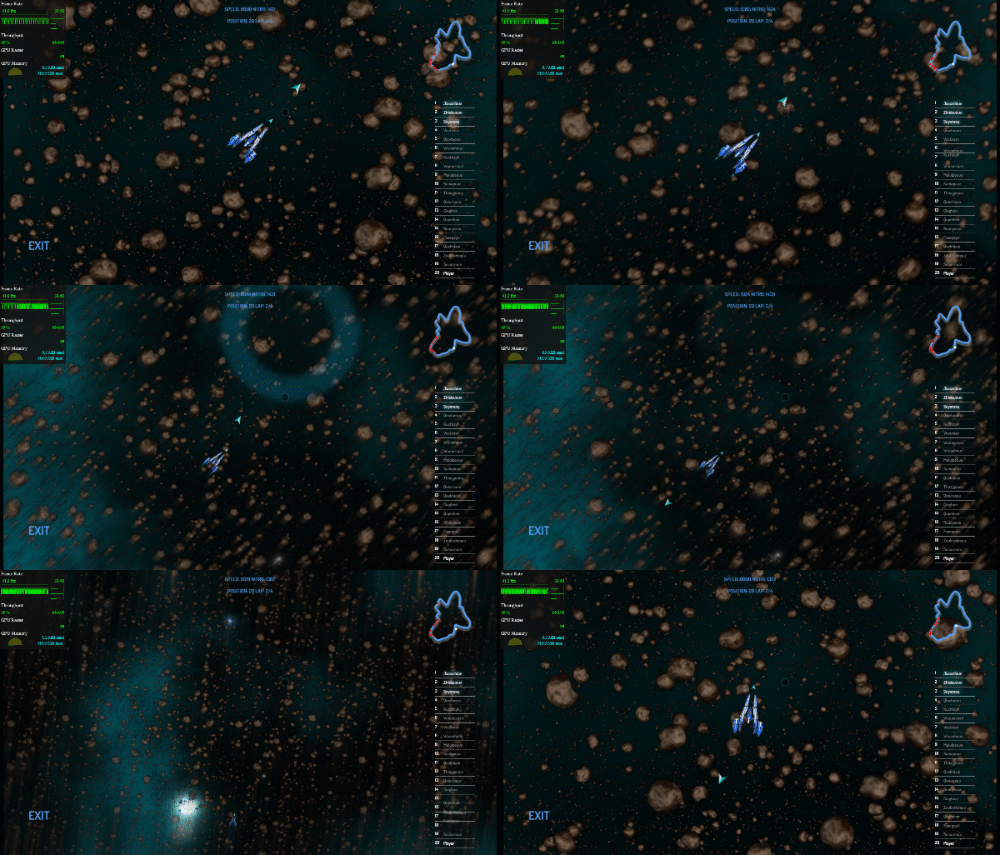
Gio August 28th, 2020 Looking at it at that resolution, it looks alright to me - I can't see the sharp edges. However I would suggest using the built-in blur effect to avoid sharp edges (also, as a cheaper, quick and dirty alternative you could pre-process your asteroid textures by baking-in some gaussian blur).
If you want to use the built-in blur effect, use wade.setLayerBlur and perhaps change the amount depending on camera speed

